01 September 2026 · Admin
Dell Refurbished Hardware Guide for UK IT Teams
A failed PERC controller, an urgent RAM expansion or a capacity project does not always justify new OEM hardware pricing. This Dell refurbished hardware guide is intended for UK IT teams buying replacement, upgrade or complete server hardware for established Dell estates, where compatibility, availability and lead time matter as much as headline cost.
Refurbished Dell hardware can be a sensible procurement route when the platform is understood and the configuration is specified correctly. It is not simply a cheaper equivalent of new equipment. The value comes from extending a proven platform, matching parts to the installed estate and avoiding unnecessary generation changes where the current environment remains fit for purpose.
Dell refurbished hardware guide: start with the installed platform
The server generation is the first filter. Dell PowerEdge Gen12, Gen13 and Gen14 systems have distinct processor families, memory types, drive backplanes, RAID controllers and management capabilities. A component that physically resembles an existing part is not necessarily supported by the chassis, backplane or system board.
For buyers planning this kind of deployment, DELL DELL-R740-12LFF - DELL Poweredge R740Xd (12Lff) Configured to Order - Refurbished is a relevant option to consider. Please check the listed specification, condition and compatibility before ordering.
For example, a Dell PowerEdge R720 or R620 is a Gen12 platform built around Intel Xeon E5-2600 and E5-2600 v2 processors with DDR3 registered memory. The R730, R630 and T630 are Gen13 systems, typically using Xeon E5-2600 v3 or v4 processors and DDR4 memory. Gen14 models such as the R740, R640 and T440 move to Intel Xeon Scalable processors and retain DDR4, but use a different platform architecture and component ecosystem.
Confirm the exact server model and service tag before ordering. Then establish the installed BIOS, iDRAC version, controller model, drive interface and power supply rating. This avoids a common problem in refurbished procurement: selecting a technically valid Dell part that is not valid for the specific build.
Define the requirement before comparing configurations
A low purchase price is useful only if the server can carry the intended workload for its remaining service life. Start with the operational requirement, rather than the largest available specification.
Virtualisation hosts generally benefit from balanced CPU core count, memory capacity and resilient storage. A lightly loaded file server may need drive bays, controller cache and network connectivity more than additional processors. Database workloads can be constrained by storage latency, controller configuration and write-cache protection long before CPU utilisation becomes the concern. For backup repositories, usable capacity, drive endurance and HBA or RAID mode are usually the priority.
Processor selection deserves particular attention. More cores are not automatically better when software is licensed by core, where an application has a modest thread count, or where clock speed is more valuable than density. Conversely, a dual-processor configuration may be appropriate for memory capacity and PCIe expansion even if immediate compute demand is limited. Check that both CPUs are identical in model and stepping where possible, and that the system supports the proposed processor family with the installed firmware.
Memory should be specified by capacity, speed, rank and module type. Mixing DDR4 speeds will normally make all modules operate at the speed of the slowest compatible DIMM. Mixing RDIMM and LRDIMM is generally not supported. Population order also affects channel balance, memory bandwidth and maximum capacity. A planned 256GB upgrade is therefore not just a quantity of DIMMs - it is a layout decision based on the processor count and available channels.
Check storage, controllers and front-bay configuration
Storage compatibility is where an apparently straightforward order can become expensive. The chassis may have 2.5-inch or 3.5-inch bays, SAS, SATA or NVMe capability, and a backplane with a specific drive count. An R740 configured for eight 2.5-inch SAS/SATA bays is not equivalent to a 24-bay SFF chassis, even though both carry the same base model name.
Confirm whether the existing workload requires hardware RAID, pass-through storage or an HBA arrangement. Dell PERC controllers differ in supported drive interfaces, cache options, battery or supercapacitor protection, external connectivity and firmware support. A PERC H730P, for example, serves a different purpose from an HBA330 in a software-defined storage build.
Enterprise drives should be selected for interface, form factor, capacity and duty cycle. SAS drives are not interchangeable with SATA drives in every controller and backplane configuration, while NVMe support is dependent on the server’s specific front-bay and PCIe architecture. If you are replacing a failed drive in an existing array, match the interface and use a drive with suitable capacity and supported firmware. A larger replacement drive can still be unsuitable if the controller or array configuration cannot use the additional space.
Do not overlook the associated hardware. Caddies, blanking plates, backplanes, cables, risers and storage controller batteries can all be essential to a complete installation. For a system already in production, ordering the exact Dell part number where practical reduces ambiguity.
Assess condition and refurbishment standards
The term refurbished does not describe one universal standard. A supplier’s process may range from basic functional testing to comprehensive component-level validation, cleaning, firmware checks and replacement of failed or worn parts. Buyers should ask what has been tested, what is included and whether the photographed or listed specification represents the supplied unit.
For complete servers, sensible checks include successful POST, processor and memory detection, iDRAC access, fan operation, power supply redundancy, storage controller health and network port operation. Drives should be checked for SMART or diagnostic health as appropriate, while controllers should be supplied with the correct cache module and power protection where specified.
Cosmetic marks are normal on decommissioned rack hardware and rarely affect serviceability. Missing accessories are more consequential. A server without rails may still be suitable for a bench, lab or tower installation, but it is not ready for a data centre rack. Likewise, a unit supplied without drive caddies or power leads may require additional procurement before deployment.
KahnServers focuses on Dell and HPE enterprise platforms, allowing buyers to source complete systems alongside replacement components when an estate needs to remain operational rather than be replaced wholesale.
Plan for firmware, management and supportability
A refurbished server should be treated as a controlled infrastructure change, not an appliance that can be placed straight into production. Update firmware in a planned maintenance window and establish a supported baseline for BIOS, iDRAC, PERC, NICs and drives. Firmware dependencies matter, particularly where CPUs are being upgraded or replacement controllers have been fitted.
Check the iDRAC generation and licence level required for remote management. Basic management may be sufficient for equipment with local access, but remote console, virtual media and advanced monitoring can be material for distributed sites, MSP environments and lights-out racks. Verify what licence is present rather than assuming that it transfers with the chassis.
Operating system and hypervisor support also needs review. An older server generation can remain mechanically dependable while falling outside a vendor’s preferred support matrix for a newer platform release. This does not automatically rule out the equipment, but it changes the risk assessment. A Gen13 server may be a strong value choice for a stable Windows, Linux or VMware environment, whereas a project requiring the newest hypervisor features, high-density NVMe or extended vendor lifecycle may justify Gen14 or newer hardware.
Calculate lifecycle value, not just unit price
The strongest refurbished purchase is usually one that fits the existing operational model. A replacement R730 with matching DDR4 memory, spare PERC hardware and familiar iDRAC management may deliver a lower total cost than a newer platform requiring memory replacement, new rail kits, revised cabling and revalidation of the build standard.
That said, retaining an older generation indefinitely can create false economy. Consider power consumption, rack density, warranty terms, availability of spares, software support and the likely date of the next capacity expansion. If a server will require repeated component purchases over the next two years, a move to a later generation may be the more controlled decision.
For business-critical systems, hold compatible spares where downtime exposure warrants it. A tested power supply, fan, drive caddy, RAID controller or matched memory kit can be far more valuable than waiting for a failure before identifying the correct part. This is particularly relevant for discontinued platforms where exact options become less common over time.
Build a purchase specification that can be checked
A clear specification speeds up quotation, picking and deployment. Record the server model, generation, processor quantity and exact CPU, total memory and DIMM layout, chassis bay count and type, controller model, drive requirements, network adapters, PSU wattage, rail requirement and iDRAC licence expectation. Include the intended operating system or hypervisor where firmware or driver compatibility may influence the configuration.
For parts, use the Dell part number alongside the system model whenever it is available. This is especially helpful for risers, backplanes, power distribution boards, controller cables and proprietary storage accessories. Generic descriptions can conceal meaningful differences between revisions.
Refurbished Dell hardware is most effective when it is procured as part of an estate plan: match the generation, verify every dependency and keep enough compatible stock to protect operational continuity. That approach turns surplus enterprise hardware into a controlled, supportable asset rather than a short-term saving.
\nExplore related products
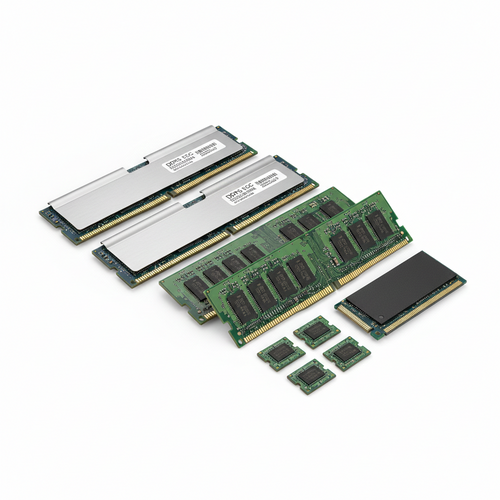
MICRON MTA144ASQ16G72PSZ-2S6 - 128GB (1*128GB) 2S4RX4 PC4-21300V-R DDR4-2666MHZ RDIMM - New
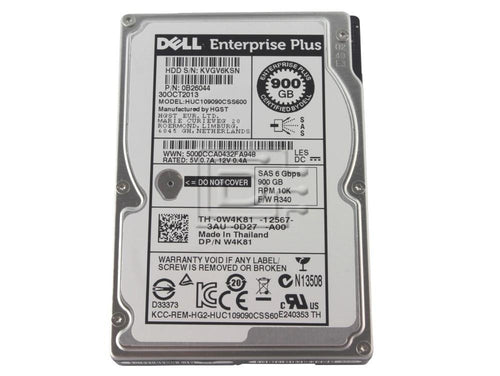
HITACHI HUC109090CSS600 - 900GB 10K 2.5 SAS HDD - Refurbished
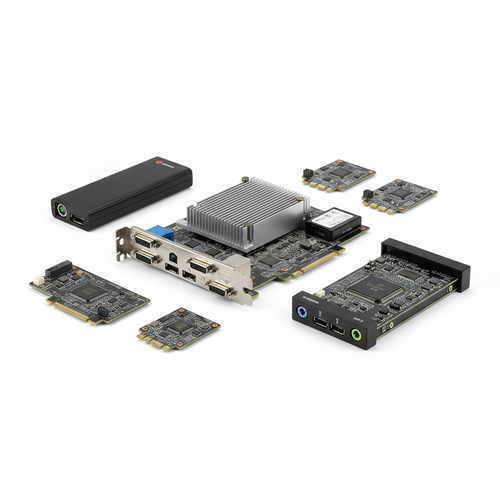
DELL 3X31R - PERC H730P MINI 12GB/S SAS EIGHT-PORT RAID CONTROLLER - Refurbished