
05 September 2026 · Admin
DDR4 versus DDR5 servers: which should you buy?
A memory decision is rarely just a memory decision. When comparing DDR4 versus DDR5 servers, the DIMM standard determines the server generations, processor families, motherboard architecture and expansion path available to your estate. For most UK businesses buying refurbished enterprise hardware, the practical question is not whether DDR5 is newer. It is whether its platform cost and performance characteristics solve a current requirement that a well-specified DDR4 server cannot.
DDR4 remains the standard across a substantial installed base of HPE Gen9 and Gen10, plus Dell PowerEdge 13th and 14th Generation systems. These platforms are proven, widely understood and supported by a mature supply of processors, memory and replacement parts. DDR5 belongs to newer server designs and requires an entirely different platform. There is no direct memory upgrade from one standard to the other.
DDR4 versus DDR5 servers: start with the platform
A DDR4 RDIMM will not fit or operate in a DDR5 memory slot, and a DDR5 RDIMM cannot be installed in a DDR4 server. The module keying, electrical signalling and memory-controller requirements are different. Moving to DDR5 therefore means replacing the server or, at minimum, the system board and processors as part of a compatible platform build. In practice, that means a new generation of enterprise server rather than an incremental upgrade.
For buyers planning this kind of deployment, 3RD PARTY 728629-B21 - 3RD PARTY 32GB (1*32GB) 2RX4 PC4-17000P-R DDR4-2133MHZ RDIMM - New is a relevant option to consider. Please check the listed specification, condition and compatibility before ordering.
For buyers running HPE ProLiant DL380 Gen9, DL360 Gen9, DL380 Gen10 or Dell PowerEdge R730, R740 and similar systems, DDR4 is the relevant upgrade path. It supports a broad range of Intel Xeon E5-2600 v3/v4 and Xeon Scalable processor configurations, depending on the server generation. Adding capacity to an existing, supportable DDR4 platform is often the lowest-risk way to extend useful service life.
DDR5 is associated with later processor families, including 4th Generation Intel Xeon Scalable platforms and equivalent newer AMD EPYC systems. These servers may also bring PCIe Gen5, higher core-count options, newer storage connectivity and improved accelerator support. Those wider changes can be more significant than the memory standard alone. A DDR5 server should be assessed as a complete platform refresh, not purchased simply because DDR5 has a higher headline transfer rate.
Bandwidth is the main DDR5 advantage
DDR4 server memory commonly runs at up to 3200 MT/s on compatible late-generation platforms. DDR5 begins at higher data rates and is commonly available at 4800 MT/s or above, subject to the server, processor and DIMM population. DDR5 also changes the way the module is organised, with two independent 32-bit subchannels per DIMM rather than one 64-bit channel. This can improve efficiency when the system is handling multiple smaller memory transactions.
The benefit is clearest where processors spend substantial time moving data to and from memory. Virtualisation hosts with high VM density, in-memory databases, analytics workloads, engineering simulation and some storage applications can all be constrained by available memory bandwidth. More cores can also increase pressure on the memory subsystem, making DDR5 a sensible match for high-core-count CPUs.
That does not mean every workload sees a proportional improvement. File services, domain services, lightly loaded application servers, backup targets and many general-purpose virtual machines are more likely to be limited by storage latency, network throughput, CPU utilisation or application design. Replacing a capable DDR4 server with a DDR5 platform will not automatically improve those services enough to justify the capital cost.
Latency deserves the same caution. DDR5 has higher bandwidth, but its raw timing values can also be higher. Actual application response depends on memory speed, channel population, CPU architecture, cache behaviour and the workload's access pattern. Benchmark results from a database or AI workload should not be treated as a forecast for an ordinary infrastructure server.
Capacity and DIMM population matter more than labels
Both standards support ECC Registered DIMMs in enterprise systems, but supported capacities and speeds are platform-specific. A server may accept a particular DIMM capacity yet reduce memory speed when all channels are populated, when two DIMMs are installed per channel, or when mixed module ranks are used. Processor model can also set the maximum supported frequency.
For a balanced configuration, populate memory evenly across the channels attached to each CPU. In a dual-processor server, fitting memory only against one processor can restrict local memory access for workloads running on the second CPU. It can also produce an uneven NUMA layout. The correct arrangement depends on the server's memory population guide, installed processors and target capacity.
This is particularly relevant when upgrading refurbished systems in stages. A low initial DIMM count may be economical, but it can leave bandwidth on the table. Conversely, filling every slot with smaller modules may create a future capacity problem and can reduce operating frequency on some platforms. Specifying fewer, higher-capacity DIMMs may preserve expansion room, but the cost per GB needs to be weighed against the expected lifespan of the server.
Do not assume on-die ECC in DDR5 replaces server-level protection. DDR5 includes internal error correction within the memory device, while enterprise RDIMMs and the server platform provide the ECC and reporting functions required for system memory reliability. Buy the correct ECC RDIMM or LRDIMM type specified for the server. Desktop UDIMMs and registered server memory are not interchangeable.
Cost per usable outcome favours DDR4 for many estates
Refurbished DDR4 hardware offers an established value proposition. HPE Gen9 and Gen10, together with Dell Gen13 and Gen14, provide mature server platforms with readily available RAM, CPUs, RAID controllers, power supplies and drives. For organisations standardising on these generations, keeping compatible spares on site or available from a specialist supplier can reduce recovery time as well as acquisition cost.
The price difference is not limited to DIMMs. A DDR5 deployment normally means newer processors, newer chassis or system boards and potentially changes to rail kits, power budgets, firmware tooling and support processes. If the existing DDR4 estate already meets compute demand, increasing memory from 128GB to 256GB or 512GB can be a more commercially sound change than replacing the whole host.
DDR4 is also useful where consistency matters. An MSP or internal IT team maintaining several similar hosts benefits from common spare memory, repeatable firmware baselines and familiar configuration procedures. A mixed DDR4 and DDR5 environment is manageable, but it adds another generation of parts, validation and operational documentation.
DDR5 becomes easier to justify when a refresh is already planned. If an ageing server needs more CPU performance, faster I/O, larger memory footprints and longer lifecycle support, selecting a DDR5 platform avoids investing heavily in a system approaching the end of its strategic role. It may also consolidate several older hosts, reducing rack space, power draw and management overhead. Those gains should be modelled at platform level rather than attributed solely to memory speed.
How to choose the right memory generation
Start with the workload and the current bottleneck. Review host CPU ready time, memory utilisation, swapping, storage latency, network saturation and application response before treating RAM generation as the cause of poor performance. If memory capacity is exhausted but CPU and I/O headroom remain, a DDR4 capacity upgrade may be sufficient. If CPU, memory bandwidth and PCIe bandwidth are all under pressure, a newer DDR5 platform deserves proper evaluation.
Next, establish the remaining service life of the server. A well-maintained DDR4 host with compatible processor and memory options may have several productive years ahead of it. That is especially true for branch infrastructure, backup, file and print, development, moderate virtualisation and line-of-business workloads with stable demand. For a new core virtualisation cluster or data-intensive application estate, the longer runway of a DDR5 platform may carry more weight.
Finally, specify from exact server and processor details rather than from generic memory descriptions. Confirm the chassis model, generation, CPU SKU, DIMM type, maximum capacity, speed at the intended population and firmware level. Matching part numbers and memory configuration to the platform prevents avoidable compatibility issues. KahnServers can be a practical source where a proven HPE or Dell DDR4 estate needs matched refurbished server memory or replacement components.
The right purchase is the one that removes a measurable constraint without creating an unnecessary platform change. If DDR4 capacity, performance and availability meet the requirement, use the mature ecosystem to extend the estate sensibly. If the business case calls for a wider refresh, choose DDR5 as part of a properly specified server platform with a clear workload and lifecycle reason behind it.
\nExplore related products
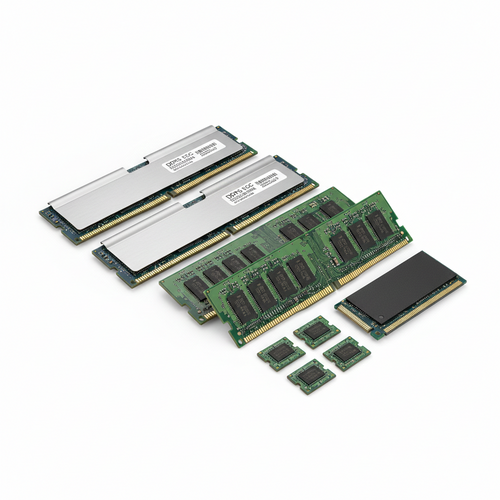
DELL SNPY8R2GC/4G - 4GB (1*4GB) 1RX8 PC4-17000P-R DDR4-2133MHZ RDIMM - New
DELL SNP888JGC/8G - 8GB (1*8GB) 1RX8 PC4-19200T-R DDR4-2400MHZ RDIMM - New
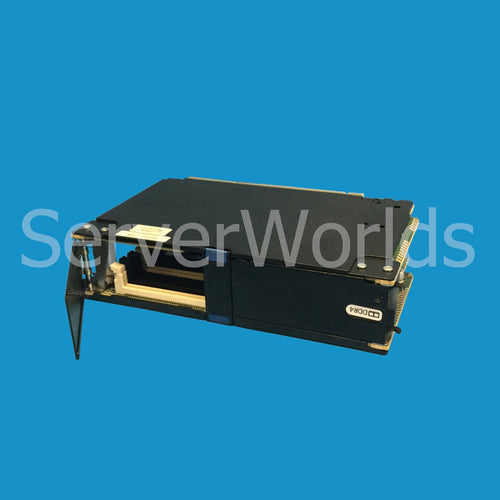
HP 802277-001 - DL580 G9 12 DDR4 DIMM SLOTS MEMORY CARTRIDGE - Refurbished
LENOVO 03LE981 - 16GB (1*16GB) 1RX8 PC5-44800B-R DDR5-5600MHZ RDIMM - New
HP R4S29A - 128GB (1*128GB) 4RX4 PC4-25600AA-L DDR4-3200MHZ LRDIMM - New