
09 September 2026 · Admin
Can You Mix Server RAM? Compatibility Rules
A server with four empty DIMM slots can look like an easy capacity upgrade. It is not always that simple. Can you mix server RAM? Usually, yes, but only when the modules meet the platform's memory rules and are installed in the correct processor and channel order. The fact that a DIMM physically fits does not make it a valid configuration.
For HPE ProLiant and Dell PowerEdge estates, the safest approach is to identify the existing DIMM specification, check the server generation's population guide, then match the new memory as closely as possible. Mixing is often workable for a cost-controlled upgrade, particularly on refurbished hardware, but it can reduce operating speed, disable an intended memory mode or prevent the server from completing POST.
Can You Mix Server RAM in the Same Server?
You can mix compatible capacity, speed and rank combinations in many enterprise servers. The memory controller will generally select a common supported operating speed, normally based on the slowest DIMM, processor capability and number of DIMMs per channel. A 2666 MT/s RDIMM added alongside existing 2400 MT/s RDIMMs, for example, will normally run at 2400 MT/s or lower if the population rules require it.
For buyers planning this kind of deployment, 3RD PARTY 805351-B21 - 3RD PARTY 32GB (1*32GB) 2RX4 PC4-19200T-R DDR4-2400MHZ RDIMM - Refurbished is a relevant option to consider. Please check the listed specification, condition and compatibility before ordering.
That does not mean every mix is supported. Enterprise platforms are more prescriptive than desktop systems because each CPU has multiple memory channels, and those channels must be populated in a defined sequence. HPE and Dell firmware can reject an unsupported mix even where the DIMMs share the same DDR generation and apparent capacity.
A practical rule is to mix only within the same memory family: DDR3 with DDR3, DDR4 with DDR4, or DDR5 with DDR5. Do not assume a newer module is backwards compatible. The notch position, signalling standard, voltage requirements and controller design differ between generations.
Start With the DIMM Type, Not the Capacity
The most common upgrade error is focusing on GB before establishing the DIMM type. Server memory is not interchangeable simply because it is ECC.
Registered DIMMs, shown as RDIMM, use a register to reduce electrical load on the memory controller. Load-reduced DIMMs, or LRDIMMs, use a different buffering design and allow higher capacities in supported systems. Most HPE ProLiant and Dell PowerEdge platforms do not support RDIMMs and LRDIMMs in the same configuration. Choose one type and populate accordingly.
Unbuffered ECC DIMMs, often labelled UDIMM, are another separate class. They are used on selected entry-level server and workstation platforms, not typically alongside RDIMMs or LRDIMMs. Mixing UDIMMs with registered memory is generally unsupported.
There are further exceptions. Persistent memory, NVDIMMs and DDR5 memory modules with platform-specific features have their own rules. Treat these as dedicated configuration types rather than ordinary RAM upgrades. Check the exact server model, CPU family and installed firmware documentation before ordering.
Match the Server Generation and Processor Platform
The server generation provides a useful first filter, but it is not enough on its own. A Dell PowerEdge R730 and an HPE ProLiant DL380 Gen9 are both DDR4-era platforms, yet their supported speeds, capacities and population rules depend on the installed Intel Xeon E5-2600 v3 or v4 processors. A module that is electrically compatible may run at a lower speed than expected with an earlier processor.
Likewise, an HPE Gen10 or Dell Gen14 server may support DDR4 RDIMMs at several speeds, but the final speed is constrained by processor specification and DIMMs per channel. Filling more slots can lower the memory frequency. This is normal controller behaviour, not necessarily a fault with the memory.
Use the server's service tag, serial number or management interface to confirm the exact model. Then record the processor model, installed DIMM part numbers, slot locations, speed, capacity and memory type. iLO, iDRAC and the system BIOS usually provide this information. Reading the labels on the installed modules remains worthwhile, especially where hardware has been previously upgraded.
Capacity Can Differ, but Balance Still Matters
Mixing capacities is often supported. You may be able to add two 32 GB RDIMMs to a server already fitted with 16 GB RDIMMs, giving 96 GB per processor when installed symmetrically. However, the total capacity is not the only consideration.
Servers deliver best memory bandwidth when channels are balanced across each CPU. In a dual-processor system, populate equivalent slots on both processors with matching DIMMs wherever possible. If CPU 1 has three populated channels and CPU 2 has one, the server may work, but performance and available memory configuration modes may be compromised.
Where a platform supports advanced ECC, lockstep, sparing or mirroring, unequal capacity and incorrect slot placement can prevent that mode from being enabled. These modes trade usable capacity for resilience, so they must be planned rather than added after the fact.
If the requirement is straightforward virtualisation capacity, a matched set per processor is usually the sensible commercial choice. If the priority is the lowest cost route to more RAM, mixed capacities can be justified, provided the performance impact is acceptable and the server population guide permits it.
Speed, Rank and Organisation Affect the Result
DIMM speed is commonly quoted in MT/s, such as 2133, 2400, 2666, 2933 or 3200 MT/s. When speeds are mixed, the server normally trains all installed modules to the lowest common supported rate. A faster DIMM does not make slower installed memory run faster.
Rank is another relevant specification. A DIMM may be single-rank, dual-rank or quad-rank. Higher-rank modules can affect the maximum supported speed when several DIMMs are installed per channel. This is particularly relevant when expanding dense virtualisation hosts, where maximum capacity and maximum frequency cannot always be achieved together.
Chip organisation, such as x4 or x8, also matters for some resilience features and platform validation. There is no universal rule that all DIMMs must have the same rank or organisation, but matched modules reduce variables and make future fault diagnosis easier. For production systems, use the server vendor's population matrix as the decision point rather than relying on general memory rules.
Avoid These Memory Mixes
Some combinations should be treated as a clear no, regardless of apparent savings:
- Different DDR generations, including DDR3 and DDR4 or DDR4 and DDR5.
- RDIMMs and LRDIMMs in the same server configuration.
- RDIMMs and UDIMMs in the same server configuration.
- ECC and non-ECC DIMMs where the platform does not explicitly support both.
- DIMMs with incompatible voltage or signalling requirements.
- Memory designed for a different server architecture or processor platform.
Install in the Correct Slot Order
Once the DIMM type has been confirmed, follow the diagram on the server lid or the platform maintenance guide. Slots are typically colour-coded and grouped by CPU and channel. Populate the first slot in each channel before moving to the second or third slot in that channel.
In a dual-processor server, install matching DIMMs in mirrored positions across both CPUs. For example, if adding one DIMM per processor, use the primary slot for CPU 1 and the equivalent primary slot for CPU 2. Do not place all new memory behind one processor unless the system design and workload specifically justify it.
Power the server down fully, remove power feeds, observe ESD precautions and seat each module firmly. On first boot, allow extra time for memory training. Review BIOS, iLO or iDRAC logs afterwards. A successful boot is only the first check: confirm the expected capacity, operating speed, ECC status and memory mode before returning the host to service.
When Matching DIMMs Is Worth the Extra Cost
A fully matched memory set is not mandatory for every server. It is, however, usually preferable for high-utilisation virtualisation hosts, database servers, production clusters and systems where predictable performance matters more than the initial component saving. Identical capacity, speed, rank and manufacturer part number simplify support and keep channels balanced.
Mixed memory is most defensible where an existing server needs a practical capacity increase, the workload is not bandwidth-sensitive and the available DIMMs meet the platform rules. This is common when extending the useful life of an established HPE or Dell estate rather than replacing it early.
Before purchasing, treat the installed configuration as part of the specification. The right upgrade is not simply the cheapest compatible DIMM; it is the configuration that gives the required capacity without creating a speed, support or availability problem later.
\nExplore related products
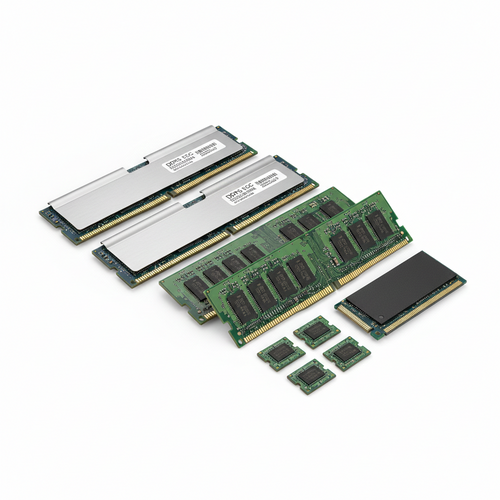
HP 803220-001 - DDR4 MEMORY DIMM BLANK - New
DELL SNPG00XJC/16G - 16GB (1*16GB) 1RX8 PC5-38400B-E DDR5-4800MHZ ECC UDIMM - New
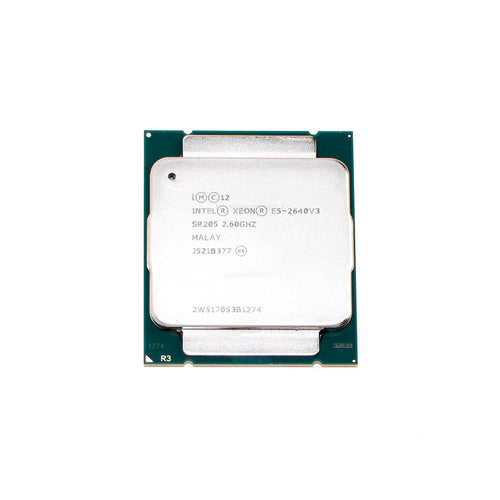
INTEL SR205 - DNP-S INTEL XEON 8 CORE CPU E5-2640V3 20M CACHE 2.60 GHZ - New
CRUCIAL CT8G4DFD824A.C16FH - 8 GB (1*8GB) DDR4 DESKTOP RAM, 2400MHZ, UDIMM, 1.2V - New
IBM 00JA668 - 32GB 4GX72 DDR3 1600MHZ CDIMM MEMORY FOR POWER8 - New