
13 September 2026 · Admin
Best Refurbished Servers for Backup Workloads
A backup repository does not need the newest server generation to be effective. It needs enough usable storage, predictable disk performance, suitable controller configuration and a recovery design that works when production systems do not. The best refurbished servers for backup are therefore not defined by processor count alone. They are selected around capacity, restore windows, retention policy and the backup software being used.
For many UK businesses, a refurbished HPE or Dell platform is a sensible way to build or expand backup capacity without applying new-server pricing to a workload that is primarily storage-led. Proven enterprise chassis also make future repairs and upgrades more manageable, particularly where an existing estate already uses compatible drives, memory or power supplies.
Best Refurbished Servers for Backup: Start With the Repository
The first procurement decision is whether the server will be a backup repository, a virtual backup appliance, a secondary copy target or a combined backup and replication host. These roles place different demands on the hardware.
For buyers planning this kind of deployment, APPLE A2141-19-16UK-I7-9750H-32-512-B - APPLE MB PRO A2141 EMC3347 I7-9750H 32GB 512GB-SSD 16UK GRADE B - Refurbished is a relevant option to consider. Please check the listed specification, condition and compatibility before ordering.
A straightforward repository receiving nightly backups is usually driven by disk capacity, network throughput and write performance. A server running deduplication, compression, encryption or multiple concurrent backup jobs needs more CPU and memory. A host used for instant recovery, virtual machine replication or frequent granular restores also benefits from faster storage tiers and additional network bandwidth.
Do not size the chassis against current protected data alone. Allow for retention growth, synthetic full backups, deduplication ratios that may change over time, and free-space headroom for maintenance operations. Backup platforms can need substantial temporary space while merging chains, creating synthetic fulls or performing integrity checks.
RAID is not a substitute for a separate copy of backup data. It protects availability within the repository, not against accidental deletion, ransomware, site loss or a failed backup policy. The server should form one part of a wider recovery plan that includes an off-site, immutable or otherwise isolated copy where the risk profile requires it.
Storage-Dense Dell Platforms
For organisations that need a high-capacity repository in 2U, the Dell PowerEdge R730xd remains a practical Gen13 option. Its storage-focused chassis variants are well suited to large-form-factor drive configurations, making it a common choice for disk-based backup targets where capacity per rack unit matters. The Dell R730 can also suit smaller repositories or mixed workload requirements, depending on the front backplane and drive bay configuration.
The Dell PowerEdge R740xd moves the same approach into Gen14 hardware. It can be a better fit where the backup application needs newer processor capability, higher memory capacity, NVMe options or a longer planned service life. That does not automatically make it the right purchase. If the repository is receiving a modest nightly backup window over 1GbE or 10GbE and relies on conventional HDD capacity, a correctly specified R730xd may offer better value.
Check the exact storage configuration rather than buying from the model name alone. A server advertised as an R730xd may have different bay layouts, controller options, drive carriers and backplanes. For a capacity-led backup build, the availability of the required number of LFF bays is more relevant than an upgraded CPU that will remain lightly used.
HPE DL380 for Flexible Backup Builds
The HPE ProLiant DL380 is widely used because it supports a broad range of storage and expansion configurations across generations. An HPE DL380 Gen9 is a sound option for many backup repositories, especially where the priority is affordable SAS or SATA capacity, redundant power and familiar management tooling. It also fits well in estates already standardised on HPE Gen9 components.
The HPE DL380 Gen10 is more appropriate when backup processing is heavier, when higher memory configurations are needed, or when the server must remain in service for a longer refresh cycle. It is also worth considering for virtualised backup infrastructure, where the host may run proxy services, media agents or multiple backup appliances alongside repository storage.
As with Dell hardware, DL380 designation alone is not enough to specify a backup server. Confirm whether the chassis is configured for SFF or LFF drives, the number of available bays, installed backplane, RAID controller model, cache module and network adapters. A low-cost base server can become a poor value purchase if the intended storage layout requires several additional parts.
LFF or SFF Drives?
For retention-heavy backup repositories, LFF drive bays are usually the efficient route to high raw capacity with fewer disks. This helps reduce power draw, heat and the number of drives that need monitoring or replacement. It is often the preferred configuration for weekly, monthly and yearly retention where throughput demands are moderate.
SFF configurations can make sense where performance, density of IOPS or reuse of an existing 2.5-inch SAS estate is more important than maximum terabytes per chassis. They are also useful for operating system disks, metadata volumes and cache tiers. However, building a large-capacity repository entirely from SFF drives can be less cost-effective than a suitable LFF platform.
Controller Choice Matters More Than Many Builds Assume
The storage controller must match the repository design. For a conventional hardware RAID volume, use an enterprise RAID controller with appropriate cache protection and a confirmed supported drive configuration. Write-back cache can materially improve backup ingest performance, but only where the cache protection is healthy and correctly recognised by the system.
Where the repository uses ZFS, software-defined storage or an application that expects direct disk access, an HBA or controller configured for pass-through may be preferable to hardware RAID. The objective is to avoid layering RAID functions in a way that obscures individual drive health or conflicts with the chosen filesystem.
Before ordering, establish four points: the required RAID level, the minimum usable capacity after parity, the expected rebuild exposure and the procedure for replacing a failed drive. RAID 6 or dual-parity approaches are commonly considered for larger HDD arrays because they provide more tolerance during rebuilds, but the right design depends on drive size, workload and recovery objectives.
Use enterprise-grade SAS or SATA drives rated for the intended duty cycle. Mixing drive models, interfaces or capacities without a clear plan can complicate support and replacement. Retain at least one compatible spare drive on site when recovery times are tight.
Processor, Memory and Network Sizing
A backup server does not need to be specified like a busy virtualisation host. For a basic repository, moderate dual-socket processors or even a lower-core configuration may be sufficient. Spending budget on storage bays, disks, controller cache and network connectivity is often more valuable than purchasing high-frequency CPUs.
The exception is processing-heavy backup activity. Global deduplication, encryption, compression, malware scanning, replication and multiple concurrent data streams all consume compute and memory. If the server runs the backup application as well as storing data, follow the software vendor's sizing guidance and leave operational headroom rather than sizing exactly to minimum requirements.
Memory should cover the operating system, backup services, controller requirements and any caching or filesystem demands. ZFS-based repositories in particular should be sized with its memory requirements in mind, rather than treated as a standard hardware RAID build.
Network capacity must reflect the backup window and restore objective. A 10GbE adapter is a sensible baseline for many business repositories, provided the switching infrastructure, source hosts and storage path can use it. Faster network ports do not overcome a slow disk array, but a repository limited to 1GbE can become the constraint long before its storage is full.
Refurbished Hardware Checks Before Purchase
Refurbished enterprise hardware should be assessed as a configuration, not merely a model. Confirm the exact server generation, processor SKU, installed memory, drive bay count, controller, rails if required, power supply count and network card. Request clarity on whether disks and caddies are included, as a bare chassis and a ready-to-deploy repository are materially different purchases.
Firmware planning is equally relevant. Standardise firmware versions across controller, system board, NICs and drives where possible, then test the server with the intended operating system and backup software before it becomes the only copy target. This is particularly important where a deployment uses older operating systems, legacy agents or specialised tape and storage integration.
KahnServers supplies refurbished HPE and Dell platforms alongside the components needed to configure or extend them. That is useful when a backup design requires a specific controller, additional memory, replacement PSU or compatible drive carrier rather than a fixed, off-the-shelf specification.
Build for Recovery, Not Just Successful Jobs
A backup server can show green job status for months and still fail the business when a full restore is required. Test file restores, application restores and virtual machine recovery at intervals that match the value of the protected systems. Measure the actual time to recover, not only the time taken to write backups.
Select the chassis that leaves room for the next storage expansion, fits the existing rack and power budget, and can be supported with readily available parts. A well-specified Gen9, Gen10, Gen13 or Gen14 server with validated restores is more useful than a newer platform bought without enough disks, network capacity or recovery discipline.
\nExplore related products
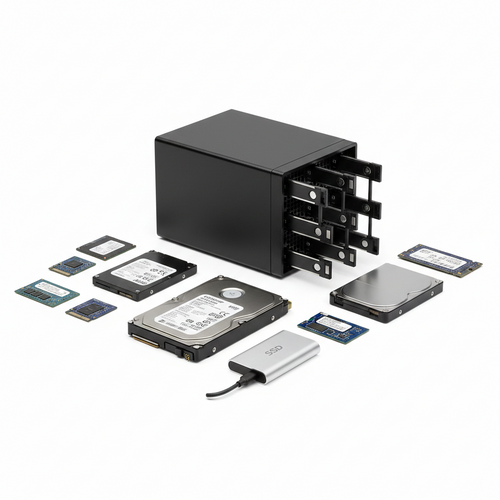
HP 830452-001 - SMALL FORM FACTOR (SFF) FLASH ADAPTER FOR DUAL SSD DRIVES - New
DELL X44F2 - POWEREDGE R430 2*SSD INTERNAL FRONT KIT - Refurbished
EMC 005052876 - 1.92TB 12G SED 2.5INCH SAS SSD - Refurbished
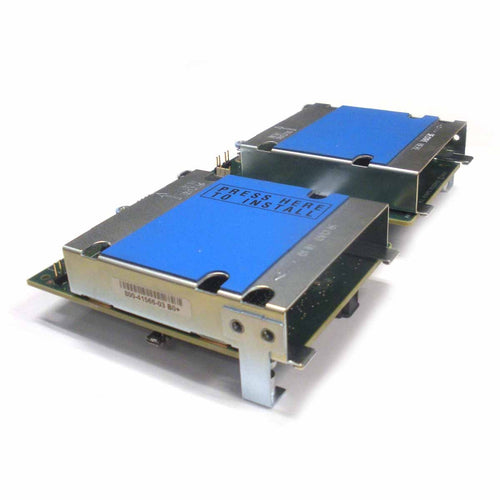
CISCO UCSB-MRAID12G - FLEXSTORAGE 12G SAS RAID CONTROLLER WITH DRIVE BAY - Refurbished
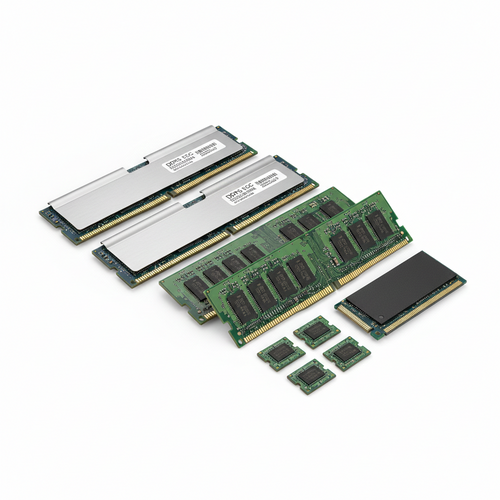
IBM 00JA668 - 32GB 4GX72 DDR3 1600MHZ CDIMM MEMORY FOR POWER8 - New